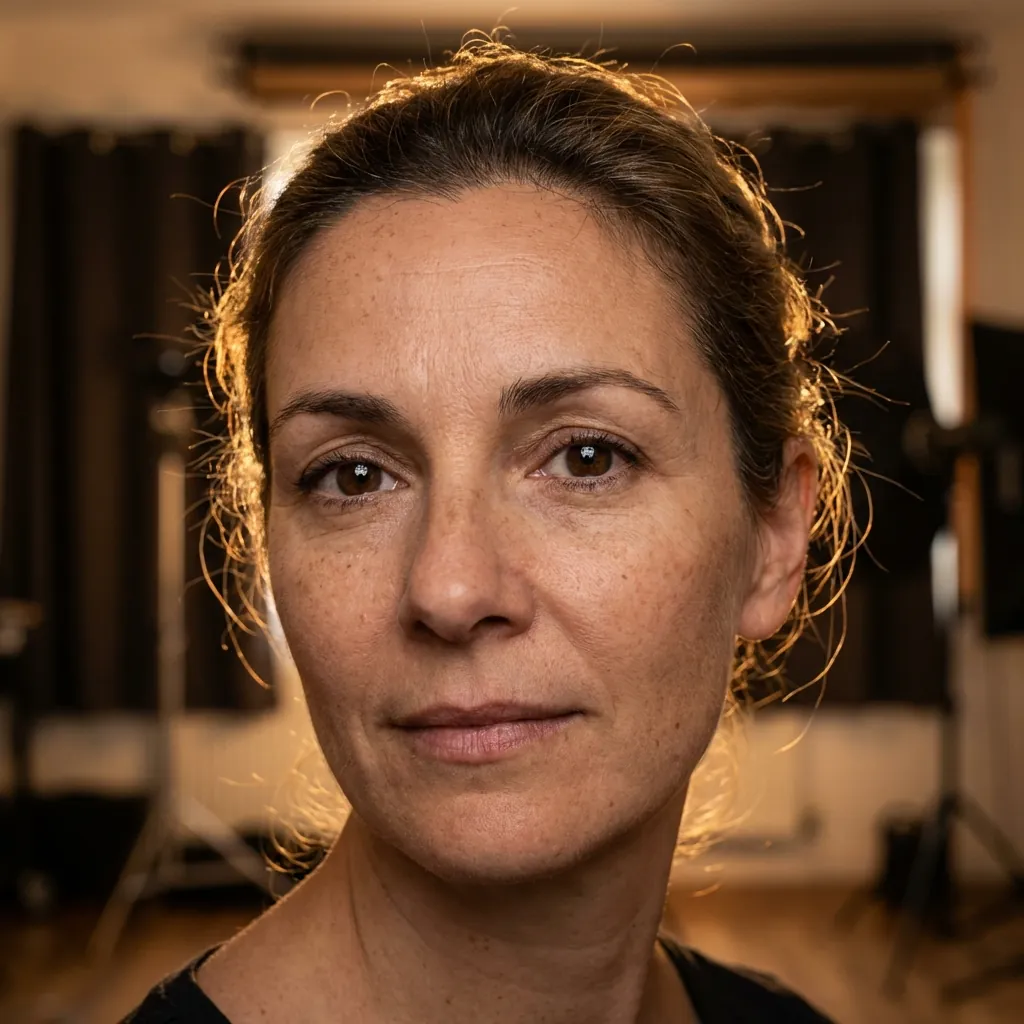
The Art of AI Portraits
Creating stunning AI portraits requires more than just describing a person. Professional AI artists use specific techniques to achieve photorealistic results that capture emotion and detail.
1. Lighting Descriptors
Lighting can make or break a portrait. Use specific lighting terms like:
- Rembrandt lighting
- Golden hour glow
- Studio lighting with softbox
- Dramatic rim lighting
2. Camera Settings
Including camera terminology adds realism:
Shot on Canon EOS R5, 85mm f/1.4, shallow depth of field, bokeh background
3. Skin Detail Modifiers
For photorealistic skin, include terms like hyperfocused skin texture, subsurface scattering, and natural skin imperfections.
4. Eye Enhancement
Eyes are the soul of a portrait. Use catchlights, detailed iris, expressive eyes to bring life to your portraits.
5. Background Control
Control your background with terms like clean studio background, environmental portrait, or blurred bokeh background.
6. Emotion and Expression
Don't just describe features—describe emotion: contemplative expression, genuine smile reaching the eyes, mysterious gaze.
7. Style References
Reference photographers or portrait styles: in the style of Annie Leibovitz, dramatic portrait photography, editorial fashion portrait.
8. Color Grading
Control the mood with color: warm tones, cinematic color grading, muted earth tones, vibrant splashes of color.
9. Negative Prompts
Use negative prompts to remove unwanted elements: no deformities, natural proportions, symmetrical features.
10. Iteration and Refinement
Generate multiple variations and refine your prompts based on results. Save successful prompts as templates.
Conclusion
Mastering AI portraits takes practice. Use these techniques as a starting point and develop your own style over time.