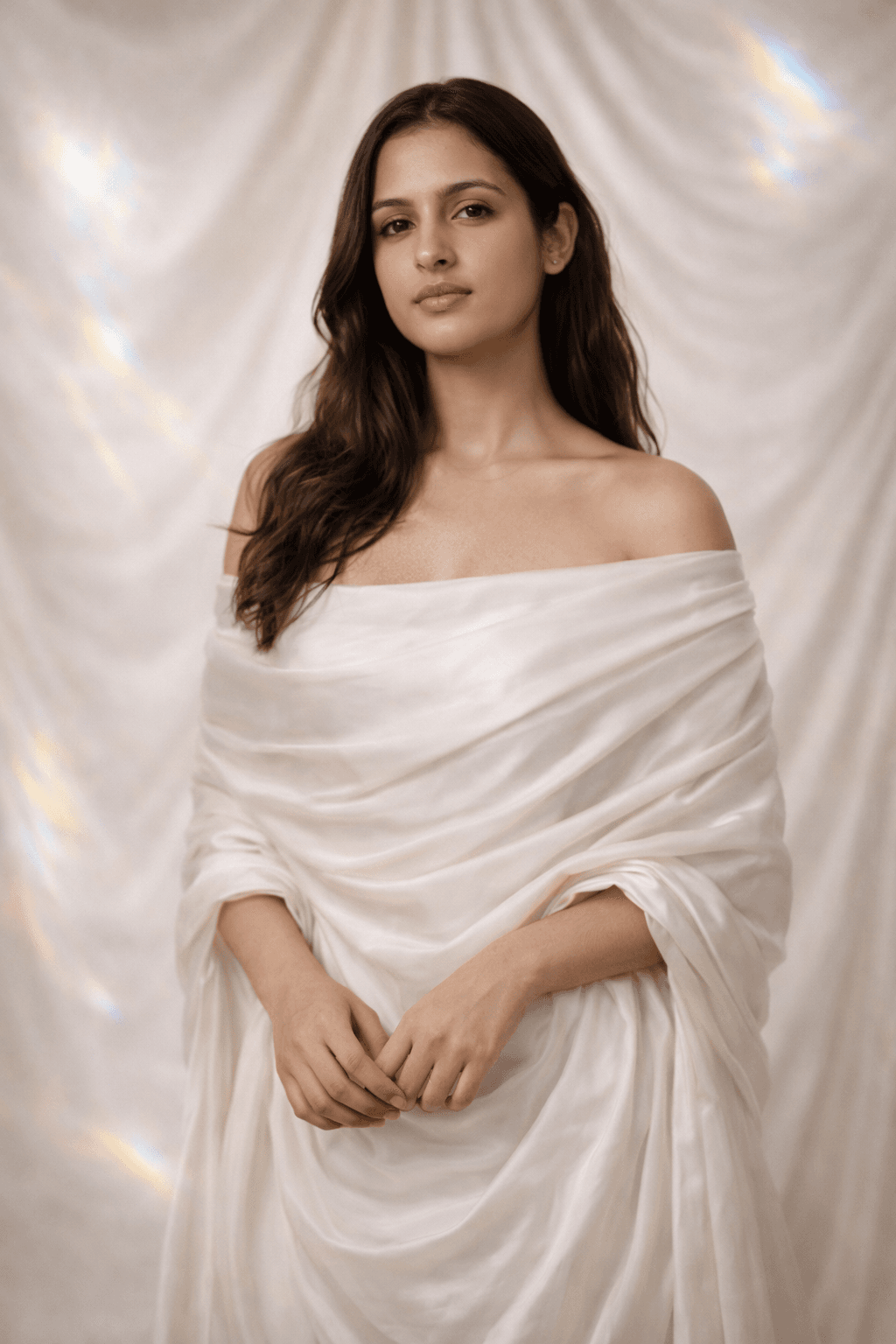
woman in ethereal silk gown studio photoshoot image prompt
70

#7379Convert your image into ethereal soft glow studio portrait

GPT-4o1:1
PROMPT

{ "prompt": "Ultra-realistic raw photo of [SUBJECT] in a minimalist high-end studio, [EXPRESSION], [POSE], wearing a pearl white silk off-shoulder gown, soft ethereal lighting with subtle rainbow lens flares, flowing cream silk background, elegant aesthetic, shot on Sony A7R IV, 85mm lens, f/1.2, highly detailed skin pores, professional beauty photography, 8k resolution.", "negative_prompt": "cartoon, painting, illustration, bad anatomy, deformed face, low quality, blurry, harsh shadows, dark background, messy hair", "instructions": "Replace [SUBJECT] with the user's description. Change [EXPRESSION] to match the user's face (e.g. slight smile, dreamy look) and [POSE] to a natural studio pose. Keep the user's original facial structure and body size identical.", "style_parameters": { "clothing": "Pearl white silk off-shoulder gown", "background": "Minimalist studio with silk drapery", "lighting": "Soft high-key glow, rainbow flares" } }

Click to reveal the full prompt text

About This Prompt

Convert your image into ethereal soft glow studio portrait

This prompt transforms your photo into a professional beauty photoshoot with soft, angelic lighting and a premium silk background. It is perfect for creating a high-end, aesthetic look for your profile.

Requirement: A clear photo of your face with good lighting. Best results come from looking directly or slightly away from the camera.

How to use:

  1. Upload your high-quality reference image.
  2. Copy and paste the prompt into the generator.
  3. Wait for the AI to apply the silk gown and studio lighting.
  4. Download your ultra-realistic aesthetic portrait.

Note: The output quality depends on your input image and chosen AI model. We do not hold any responsibility for the final generation.

How to Use for Best Quality

To achieve the best results with this prompt in GPT-4o, copy the full prompt text above and paste it directly into your AI image generator. The recommended aspect ratio is 1:1.

  • Model: Optimized for GPT-4o
  • Aspect Ratio: 1:1

Browse by Category

Explore prompts organized by style, medium, and use case